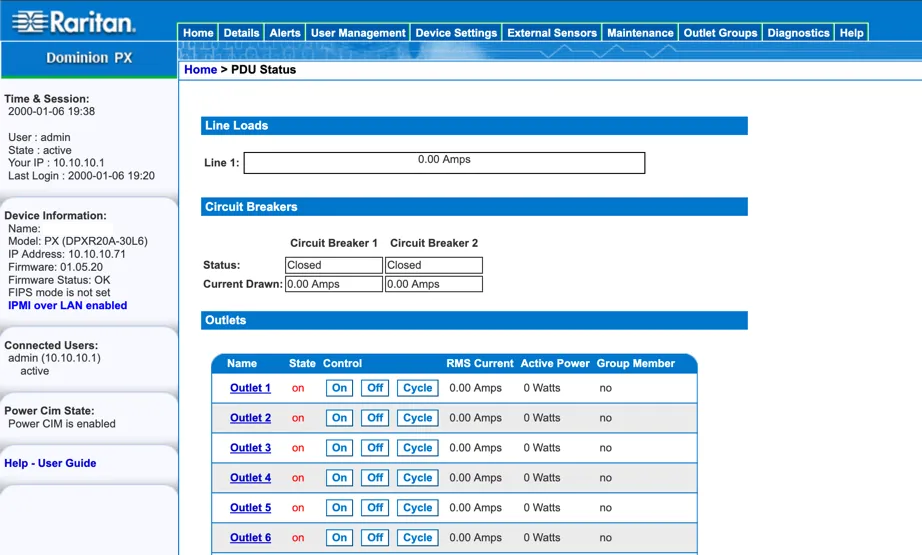
Overview
Raritan Dominion PX PDUs are great for homelab. They are feature rich and most importantly, cheap!
Here is how to factory reset a DPXR20A-30L6 and install the latest firmware.
Hardware
This post covers the DPXR20A-30L6 specifically, as these can be had for $50-75 shipped.
The 2RU Horizontal PDU comes with 20 C13 outlets, Serial (RJ-45), and LAN (RJ-45).
The device will likely in a non-default config, so you will need to reset it to enable all the outlets and access the management.
Serial Console
There is a RJ-45 serial port. However, if you plugged in a standard Cisco/Rollover RJ-45 serial USB cable, you will receive no output.
It turns out, this device has its own pinout for serial RJ-45…
Luckily, the pinout is documented in the user guide, so we can make out own RJ-45 adapter for it. For a non-DIY approach, the Raritan part-number CRLVR-1 should do the same.
DIY Serial Adapter
To create the adapter you will need:
- Patch cable
- RJ-45 female keystone
- Wire cutters
First, cut the patch cable.
Inside the jacket you’ll find 4 twisted pairs (8 wires) and possibly a plastic X-shaped spine.
Cut the spine off flush.
Untwist all the pairs and straighten the wires with your fingers.
We will use only blue, white/blue, white/brown
Cut the other five wires flush with the jacket so they are out of the way.
Guide the cable into the keystone and route the 3 wires into the keystone slots as follows:
| Wire | Keystone Slot |
|---|---|
| blue | 3: white/green |
| white/blue | 6: green |
| white/brown | 4: blue |
Every other slot stays empty.
Physically connect and test at 9600 baud rate. The patch cable molded male plug would plug into the PDU’s serial port and the serial RJ-45 male plug would plug into the adapter.
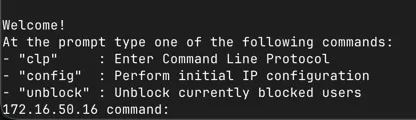
Factory Reset
This PDU forces the user to change the admin user’s password after the first login, so it is likely the credentials are unknown,
so lets factory reset.
On the console, type resetadminpassword then hit Enter.
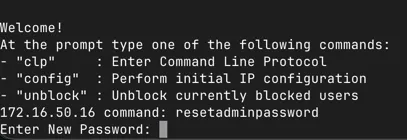
Now you can reset the admin password.
Once we have admin credentials. We log in and reset the device via the CLP command line:
set /system1 FactoryDefaults=trueUpon reset, IP configuration will be DHCP And the default credentials are username:admin password: raritan
Visit the web portal at https://IP to trigger the forced password change.
Firmware Upgrade
This particular PDU came with firmware 1.5.13.
The latest version is 1.5.20 from May 2016 despite the fact the that the support page only lists up to 1.5.13.
Firmware 1.5.20 can be downloaded from https://cdn.raritan.com/download/PX/v1.5.20/fw-kira-rpc-pdu-raritan_010520-11783-WUB.zip
Once downloaded, upload the .bin file from the firmware .zip file via the web management.